

Cart
0


Wiz 100W Eq. (14.5W) A21 Color Led Smart Bulb - Pack Of 3 - E26- Indoor - Connects To Your Existing Wi-Fi - Control With Voice O
Free Standard Shipping Across USA
 WELCOME5: Use code WELCOME5 for 5% off on your first order
Couldn't load pickup availability
Vendor: Wiz Connected
Type: light-bulbs
Sku: WBLSDB09M7RGW96
Availability: Out of Stock
Sold by LightsDaddy, an authorized reseller.
Returns accepted within 30 days | support@lightsdaddy.com
Shipping Information
- Free Standard Shipping — United States only
- Processing Time: 3–5 business days
- Estimated Delivery: 6–10 business days after dispatch
- Securely packed to protect your lighting fixtures during transit
- Tracking number sent via email once dispatched
- Orders over $250 require signature upon delivery. Taxes calculated at checkout.
Returns & Refund
Returns accepted within 30 days of delivery.
Damaged or Defective Item
Free return shipping + replacement or full refund
Wrong Item Received
Free return shipping + replacement or full refund
Change of Mind
Return shipping at customer's expense · Item must be unused & in original packaging
All returns require a Return Authorization (RA) number before sending.
View Full Return & Refund Policy
Safety & Compliance
⚠️
California Proposition 65 Warning
Some products sold on this website may expose you to chemicals known to the State of California to cause cancer, birth defects, or other reproductive harm.
www.P65Warnings.ca.gov
⚡
Electrical Safety Warning
All electrical products must be installed by a qualified electrician in accordance with local wiring regulations. Incorrect installation may result in fire, electric shock, or injury.
Always disconnect power at the circuit breaker before installation.
💡
Bulb & Usage Advisory
Do not exceed the maximum wattage specified on the fixture label. Keep away from flammable materials. Allow adequate ventilation around the fixture.
Keep out of reach of children. Not suitable for wet locations unless rated IP65 or higher.
Guarantee safe checkout


Wiz 100W Eq. (14.5W) A21 Color Led Smart Bulb - Pack Of 3 - E26- Indoor - Connects To Your Existing Wi-Fi - Control With Voice O
$87.89

Related products
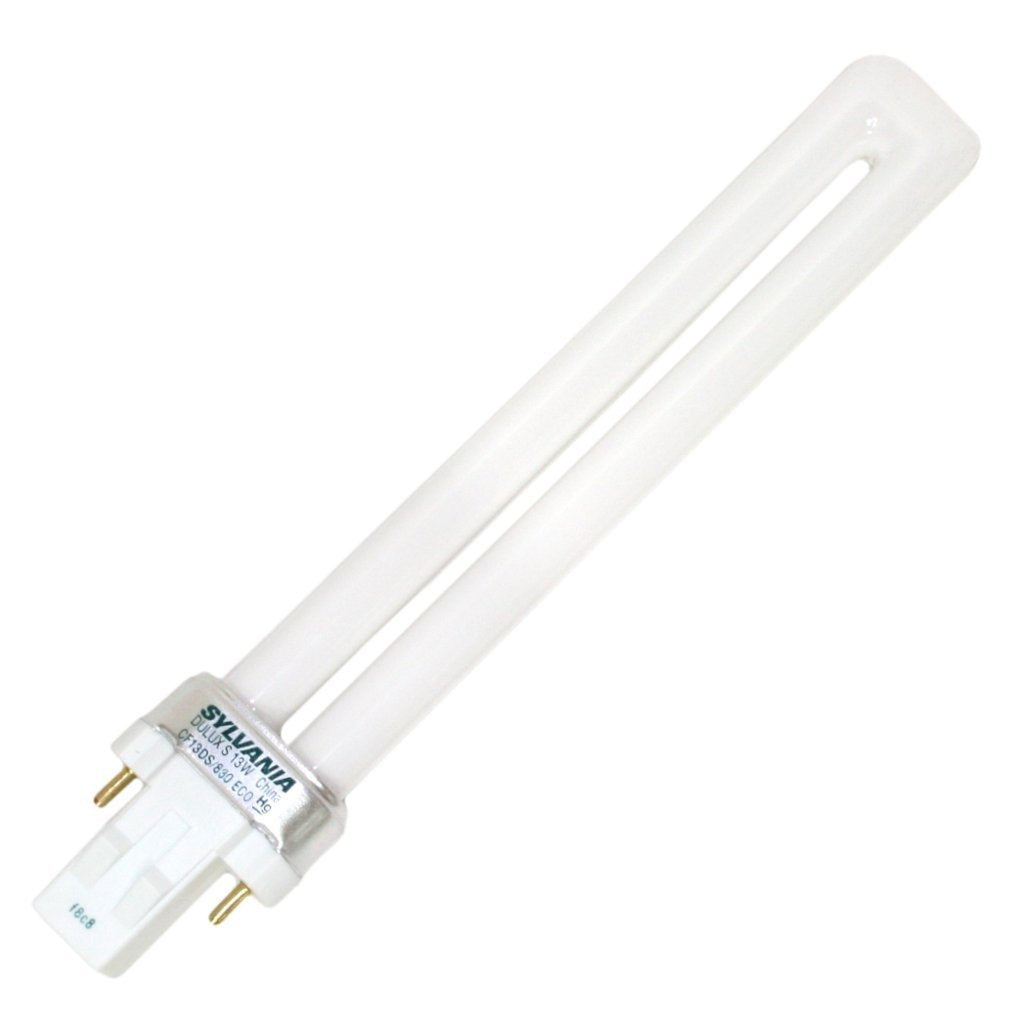
SYLVANIA 21133 Compact Fluorescent Lamp, 13W, 3000K Warm White, 10 Pack, 2-Pin Single Tube, Eco-Friendly
Regular price
$23.03
Out of Stock

Customer Approved

Extensive Selection

Fast, Reliable Delivery

Top-Tier Quality
Frequently Asked Questions
- Q: What are the dimensions of the WiZ smart light bulbs? A: Each WiZ smart bulb measures two point ninety five inches in length, width, and height, making them compact and easy to fit into standard lamp sockets.
- Q: What material are the WiZ smart bulbs made of? A: These smart bulbs are constructed from synthetic polymer, specifically PMMA, which provides durability and a lightweight design.
- Q: How many colors can the WiZ smart bulbs display? A: The WiZ smart bulbs can display sixteen million colors, allowing for a versatile lighting experience to suit any mood.
- Q: How do I install the WiZ smart light bulbs? A: To install, simply plug the bulbs into your existing lamp sockets, download the WiZ app, and follow the setup instructions for a quick and easy installation.
- Q: Can I control the WiZ smart bulbs with my smartphone? A: Yes, you can control the WiZ smart bulbs using the WiZ app on your smartphone, allowing for remote access and scheduling.
- Q: Are the WiZ smart bulbs compatible with voice assistants? A: Yes, these bulbs are compatible with voice assistants like Alexa, Siri Shortcuts, and Google Assistant for hands-free control.
- Q: How do I clean the WiZ smart light bulbs? A: To clean the bulbs, turn them off and let them cool down. Wipe them gently with a soft, dry cloth to avoid damage.
- Q: Do I need a hub to use the WiZ smart bulbs? A: No, you do not need an additional hub. The WiZ smart bulbs connect directly to your existing Wi-Fi network for easy setup.
- Q: How can I schedule the WiZ smart bulbs to turn on and off? A: You can set schedules for the WiZ smart bulbs using the WiZ app, which allows you to automate lighting based on your daily or weekly routines.
- Q: What is the warranty for the WiZ smart bulbs? A: The WiZ smart bulbs typically come with a manufacturer's warranty, but specifics may vary; check the packaging for details.
- Q: What do I do if the WiZ smart bulbs do not connect to Wi-Fi? A: If the bulbs do not connect, ensure your Wi-Fi is functioning properly, and follow the troubleshooting steps in the WiZ app for assistance.
- Q: Can I use the WiZ smart bulbs outdoors? A: No, the WiZ smart bulbs are designed for indoor use only and should not be exposed to outdoor elements.
- Q: Is there a limit on how many WiZ smart bulbs I can use? A: You can connect multiple WiZ smart bulbs to the same network, but the exact number may depend on your Wi-Fi router's capacity.
- Q: Do the WiZ smart bulbs require special light fixtures? A: No, the WiZ smart bulbs fit into standard A21 light fixtures, making them compatible with most household lamps.
- Q: How can I reset the WiZ smart bulbs if they are not responding? A: To reset the bulbs, turn them off for five seconds and then turn them back on; repeat this process three times to reset the connection.