

Cart
0


Ohlux Smart Wifi Led Light Bulbs Compatible With Alexa Google Home 900Lumen 100W Equivalent, Rgbcw Multi-Color, 2700-6500K Dimma
Free Standard Shipping Across USA
 WELCOME5: Use code WELCOME5 for 5% off on your first order
Couldn't load pickup availability
Vendor: OHLUX
Type: light-bulbs
Sku: WBLSDB086SVWN3T
Availability: Out of Stock
Sold by LightsDaddy, an authorized reseller.
Returns accepted within 30 days | support@lightsdaddy.com
Shipping Information
- Free Standard Shipping — United States only
- Processing Time: 3–5 business days
- Estimated Delivery: 6–10 business days after dispatch
- Securely packed to protect your lighting fixtures during transit
- Tracking number sent via email once dispatched
- Orders over $250 require signature upon delivery. Taxes calculated at checkout.
Returns & Refund
Returns accepted within 30 days of delivery.
Damaged or Defective Item
Free return shipping + replacement or full refund
Wrong Item Received
Free return shipping + replacement or full refund
Change of Mind
Return shipping at customer's expense · Item must be unused & in original packaging
All returns require a Return Authorization (RA) number before sending.
View Full Return & Refund Policy
Safety & Compliance
⚠️
California Proposition 65 Warning
Some products sold on this website may expose you to chemicals known to the State of California to cause cancer, birth defects, or other reproductive harm.
www.P65Warnings.ca.gov
⚡
Electrical Safety Warning
All electrical products must be installed by a qualified electrician in accordance with local wiring regulations. Incorrect installation may result in fire, electric shock, or injury.
Always disconnect power at the circuit breaker before installation.
💡
Bulb & Usage Advisory
Do not exceed the maximum wattage specified on the fixture label. Keep away from flammable materials. Allow adequate ventilation around the fixture.
Keep out of reach of children. Not suitable for wet locations unless rated IP65 or higher.
Guarantee safe checkout


Ohlux Smart Wifi Led Light Bulbs Compatible With Alexa Google Home 900Lumen 100W Equivalent, Rgbcw Multi-Color, 2700-6500K Dimma
$41.95

Related products
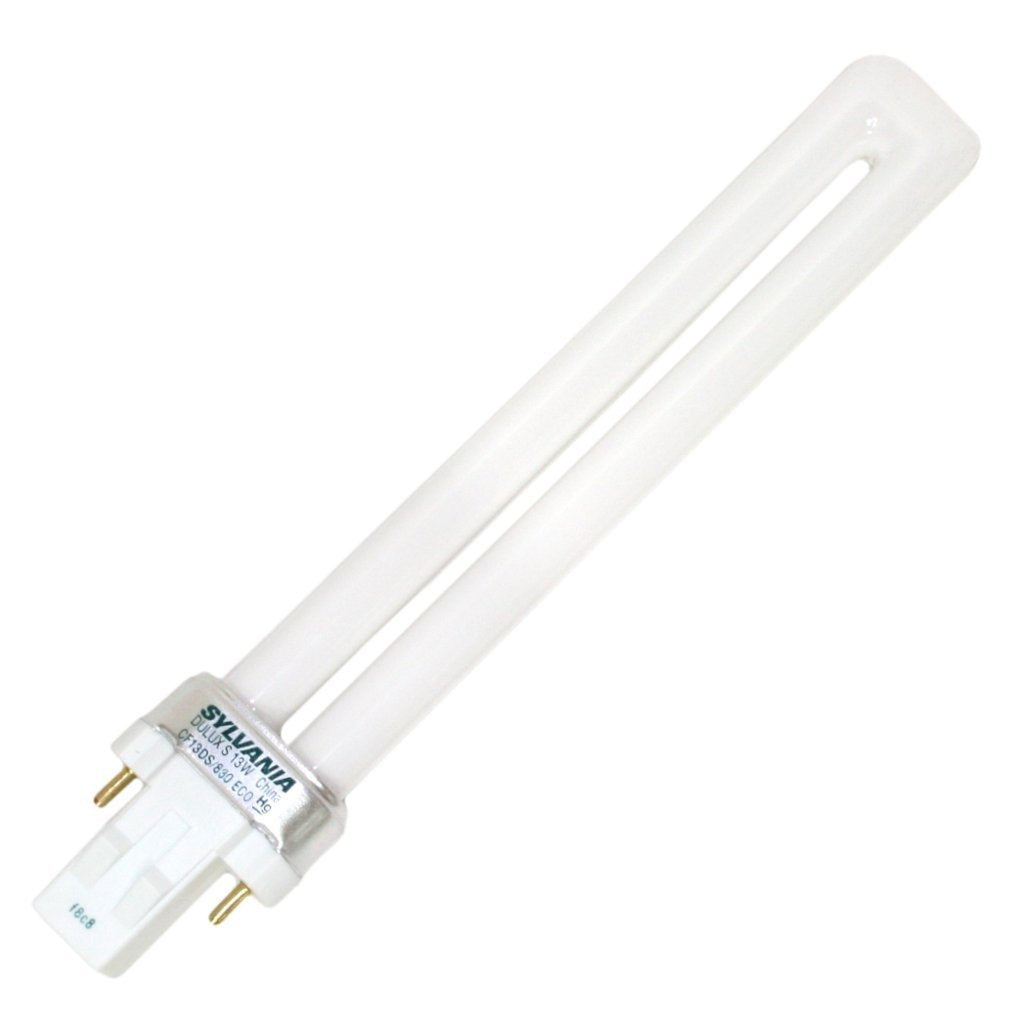
SYLVANIA 21133 Compact Fluorescent Lamp, 13W, 3000K Warm White, 10 Pack, 2-Pin Single Tube, Eco-Friendly
Regular price
$23.03
Out of Stock

Customer Approved

Extensive Selection

Fast, Reliable Delivery

Top-Tier Quality
Frequently Asked Questions
- Q: What is the wattage and brightness of the OHLUX Smart WiFi LED Light Bulbs? A: The OHLUX Smart WiFi LED Light Bulbs have a wattage of nine watts and deliver a brightness of nine hundred lumens. This brightness is equivalent to a traditional one hundred watt incandescent bulb, making it a great energy-saving option.
- Q: What are the dimensions of the OHLUX Smart WiFi LED Light Bulbs? A: Each bulb measures two point four inches in width and two point four inches in height, with a length of four point seven inches. This compact size allows them to fit into standard E26 sockets easily.
- Q: What materials are the OHLUX Smart WiFi LED Light Bulbs made of? A: The bulbs are made from durable plastic. This material ensures longevity while being lightweight, making installation effortless.
- Q: How do I connect the OHLUX Smart WiFi LED Light Bulbs to the Smart Life app? A: To connect, download the Smart Life app, create an account, and log in. Follow the prompts to add a lighting device and ensure your WiFi is set to the two point four gigahertz band for successful pairing.
- Q: Can I control these bulbs with voice commands? A: Yes, you can control the OHLUX Smart WiFi LED Light Bulbs using voice commands through Amazon Alexa and Google Assistant. This allows you to adjust brightness, temperature, and power on/off hands-free.
- Q: Is the OHLUX Smart WiFi LED Light Bulbs suitable for outdoor use? A: No, the OHLUX Smart WiFi LED Light Bulbs are designed for indoor use only. They should be kept away from moisture and extreme temperatures to ensure proper functioning.
- Q: How do I care for and clean the OHLUX Smart WiFi LED Light Bulbs? A: To clean the bulbs, turn them off and use a soft, dry cloth to wipe the surface. Avoid using any harsh chemicals or abrasive materials to preserve the bulb's finish.
- Q: What is the lifespan of the OHLUX Smart WiFi LED Light Bulbs? A: These bulbs have a lifespan of approximately fifty thousand hours. This long lifespan contributes to their energy efficiency and reduces the need for frequent replacements.
- Q: Are the OHLUX Smart WiFi LED Light Bulbs dimmable? A: Yes, the bulbs are fully dimmable, allowing you to adjust the brightness from one percent to one hundred percent. This feature lets you create the perfect ambiance for any setting.
- Q: How can I troubleshoot connectivity issues with the OHLUX Smart WiFi LED Light Bulbs? A: If you experience connectivity issues, ensure your WiFi is set to the two point four gigahertz frequency and that the bulbs are within range of your router. Restarting the bulbs and your WiFi router can also help.
- Q: Can I use multiple OHLUX Smart WiFi LED Light Bulbs together? A: Yes, you can control multiple OHLUX Smart WiFi LED Light Bulbs simultaneously using the Smart Life app. This allows for group control and scene settings for your convenience.
- Q: What should I do if the OHLUX Smart WiFi LED Light Bulbs arrive damaged? A: If the bulbs arrive damaged, contact the seller directly through Amazon for assistance with returns or replacements. Make sure to keep the original packaging for the return process.
- Q: Do these bulbs require a hub for operation? A: No, the OHLUX Smart WiFi LED Light Bulbs do not require a hub or bridge for operation. They connect directly to your home WiFi network.
- Q: How do I set a timer for the OHLUX Smart WiFi LED Light Bulbs? A: You can set a timer for the bulbs using the Smart Life app. Navigate to the timer settings in the app to schedule the bulbs to turn on or off automatically.
- Q: What if I need technical support for the OHLUX Smart WiFi LED Light Bulbs? A: For technical support, you can contact the manufacturer's customer service through Amazon. They offer assistance and troubleshooting help for any issues you may encounter.