

Cart
0


LUMI-LINK COMMAND CENTER
Free Standard Shipping Across USA
 WELCOME5: Use code WELCOME5 for 5% off on your first order
Couldn't load pickup availability
Vendor: Lumishore
Type: Security & Flood Lights
Sku: WBLSDB07QF51ZHZ
Availability: In Stock
Sold by LightsDaddy, an authorized reseller.
Returns accepted within 30 days | support@lightsdaddy.com
Shipping Information
- Free Standard Shipping — United States only
- Processing Time: 3–5 business days
- Estimated Delivery: 6–10 business days after dispatch
- Securely packed to protect your lighting fixtures during transit
- Tracking number sent via email once dispatched
- Orders over $250 require signature upon delivery. Taxes calculated at checkout.
Returns & Refund
Returns accepted within 30 days of delivery.
Damaged or Defective Item
Free return shipping + replacement or full refund
Wrong Item Received
Free return shipping + replacement or full refund
Change of Mind
Return shipping at customer's expense · Item must be unused & in original packaging
All returns require a Return Authorization (RA) number before sending.
View Full Return & Refund Policy
Safety & Compliance
⚠️
California Proposition 65 Warning
Some products sold on this website may expose you to chemicals known to the State of California to cause cancer, birth defects, or other reproductive harm.
www.P65Warnings.ca.gov
⚡
Electrical Safety Warning
All electrical products must be installed by a qualified electrician in accordance with local wiring regulations. Incorrect installation may result in fire, electric shock, or injury.
Always disconnect power at the circuit breaker before installation.
💡
Bulb & Usage Advisory
Do not exceed the maximum wattage specified on the fixture label. Keep away from flammable materials. Allow adequate ventilation around the fixture.
Keep out of reach of children. Not suitable for wet locations unless rated IP65 or higher.
Guarantee safe checkout


LUMI-LINK COMMAND CENTER
$1,187.42

Related products
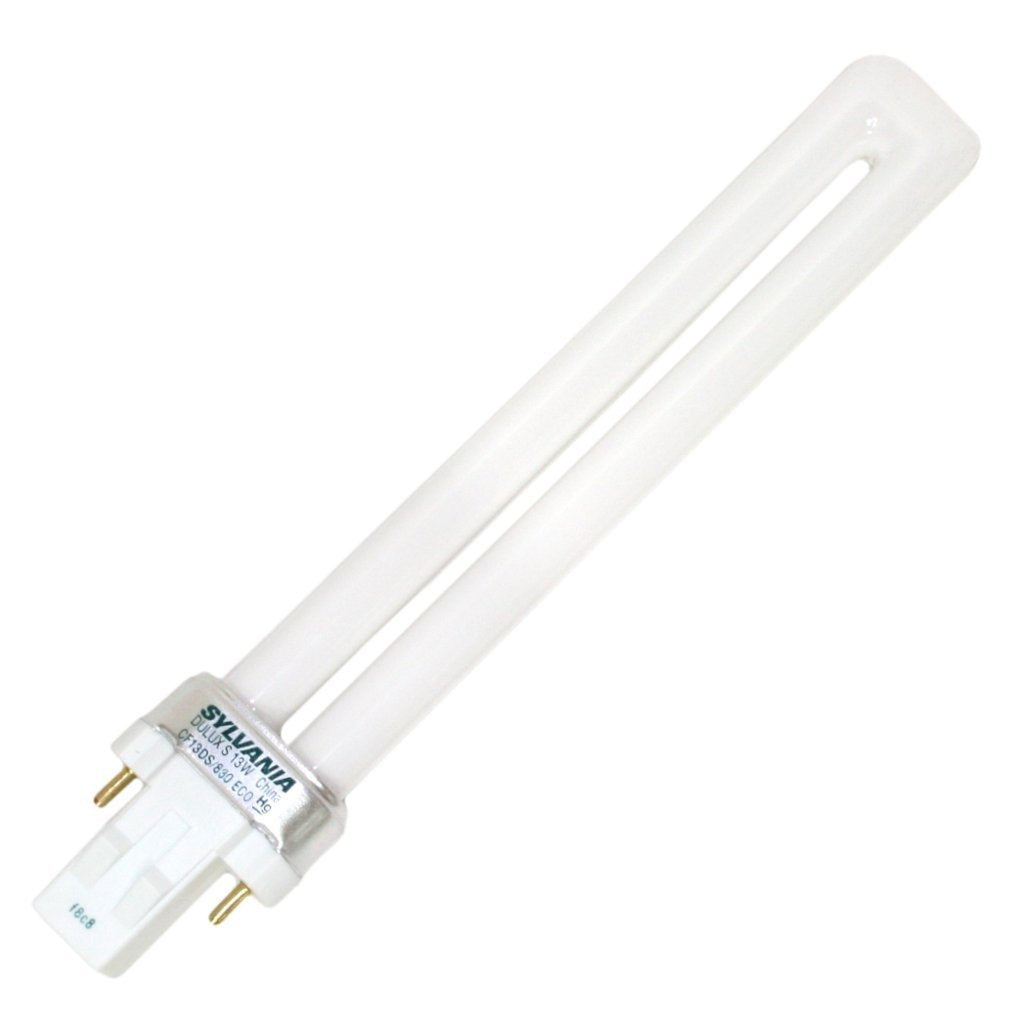
SYLVANIA 21133 Compact Fluorescent Lamp, 13W, 3000K Warm White, 10 Pack, 2-Pin Single Tube, Eco-Friendly
Regular price
$23.03
Out of Stock

Customer Approved

Extensive Selection

Fast, Reliable Delivery

Top-Tier Quality
Frequently Asked Questions
- Q: What are the dimensions of the Lumishore EOS LUX Command Center? A: The Lumishore EOS LUX Command Center measures six inches in length, six inches in width, and three inches in height. This compact size makes it easy to install in various setups.
- Q: What is the model number of the Lumishore Command Center? A: The model number of the Lumishore Command Center is sixty-zero-three-six. This identifier is essential for compatibility with other Lumishore products.
- Q: What materials is the Lumishore EOS LUX Command Center made of? A: The Lumishore EOS LUX Command Center does not specify materials. However, it is designed for marine environments, ensuring durability and reliability.
- Q: How do I install the Lumishore EOS Command Center? A: To install the Lumishore EOS Command Center, simply connect it with a plug and play ethernet cable. The system will automatically recognize the lights for smart control.
- Q: Can I control lights by zone with the Lumishore Command Center? A: Yes, you can control lights by zone using the Lumishore Command Center. This feature allows you to create personalized lighting scenes for different areas.
- Q: Is the Lumishore EOS LUX Command Center suitable for beginners? A: Yes, the Lumishore EOS LUX Command Center is suitable for beginners. Its simple setup and user-friendly interface make it accessible for all users.
- Q: How do I keep the Lumishore Command Center in good condition? A: To maintain the Lumishore Command Center, keep it dry and free from corrosive materials. Regularly check connections for wear and tear to ensure optimal performance.
- Q: What should I do if my Lumishore Command Center arrives damaged? A: If your Lumishore Command Center arrives damaged, contact the retailer immediately for a return or replacement. Keeping the original packaging will assist in the return process.
- Q: Does the Lumishore Command Center come with a warranty? A: Yes, the Lumishore Command Center typically comes with a manufacturer's warranty. Check the product documentation for specific warranty details and duration.
- Q: How does the Lumishore Command Center connect to displays? A: The Lumishore Command Center connects to displays via ethernet cable. It is compatible with the STV two thousand two hundred four i Lumi-Link Display and other MFDs.
- Q: Is the Lumishore Command Center required for all EOS lights? A: Yes, the Lumishore Command Center is required for all EOS underwater lights and LUX Smart Lighting installations, except for models SMX ninety-three and SMX ninety-four.
- Q: Can I create custom lighting scenes with the Lumishore Command Center? A: Yes, you can create custom lighting scenes with the Lumishore Command Center. It features an input for programmable triggers to personalize your lighting experience.
- Q: What is the weight of the Lumishore EOS LUX Command Center? A: The weight of the Lumishore EOS LUX Command Center is not specified in the product details. Its compact design suggests it is lightweight and easy to handle.
- Q: Is the Lumishore Command Center easy to use? A: Yes, the Lumishore Command Center is easy to use. Its intuitive interface allows users to manage lighting settings without complex programming.
- Q: What lighting systems is the Lumishore Command Center compatible with? A: The Lumishore Command Center is compatible with all EOS underwater lighting systems and LUX Smart Lighting installations, enhancing your control options.