

Cart
0


Howmzon Wireless Picture Light 16 Inches Battery Operated Dimmable Black Metal Led Art Light For Wall Sconce
Free Standard Shipping Across USA
 WELCOME5: Use code WELCOME5 for 5% off on your first order
Couldn't load pickup availability
Vendor: HOWMZON
Type: lighting-accessories
Sku: WBLSDB0C2C6YPGC
Availability: Out of Stock
Sold by LightsDaddy, an authorized reseller.
Returns accepted within 30 days | support@lightsdaddy.com
Shipping Information
- Free Standard Shipping — United States only
- Processing Time: 3–5 business days
- Estimated Delivery: 6–10 business days after dispatch
- Securely packed to protect your lighting fixtures during transit
- Tracking number sent via email once dispatched
- Orders over $250 require signature upon delivery. Taxes calculated at checkout.
Returns & Refund
Returns accepted within 30 days of delivery.
Damaged or Defective Item
Free return shipping + replacement or full refund
Wrong Item Received
Free return shipping + replacement or full refund
Change of Mind
Return shipping at customer's expense · Item must be unused & in original packaging
All returns require a Return Authorization (RA) number before sending.
View Full Return & Refund Policy
Safety & Compliance
⚠️
California Proposition 65 Warning
Some products sold on this website may expose you to chemicals known to the State of California to cause cancer, birth defects, or other reproductive harm.
www.P65Warnings.ca.gov
⚡
Electrical Safety Warning
All electrical products must be installed by a qualified electrician in accordance with local wiring regulations. Incorrect installation may result in fire, electric shock, or injury.
Always disconnect power at the circuit breaker before installation.
💡
Bulb & Usage Advisory
Do not exceed the maximum wattage specified on the fixture label. Keep away from flammable materials. Allow adequate ventilation around the fixture.
Keep out of reach of children. Not suitable for wet locations unless rated IP65 or higher.
Guarantee safe checkout


Howmzon Wireless Picture Light 16 Inches Battery Operated Dimmable Black Metal Led Art Light For Wall Sconce
$48.41

Related products
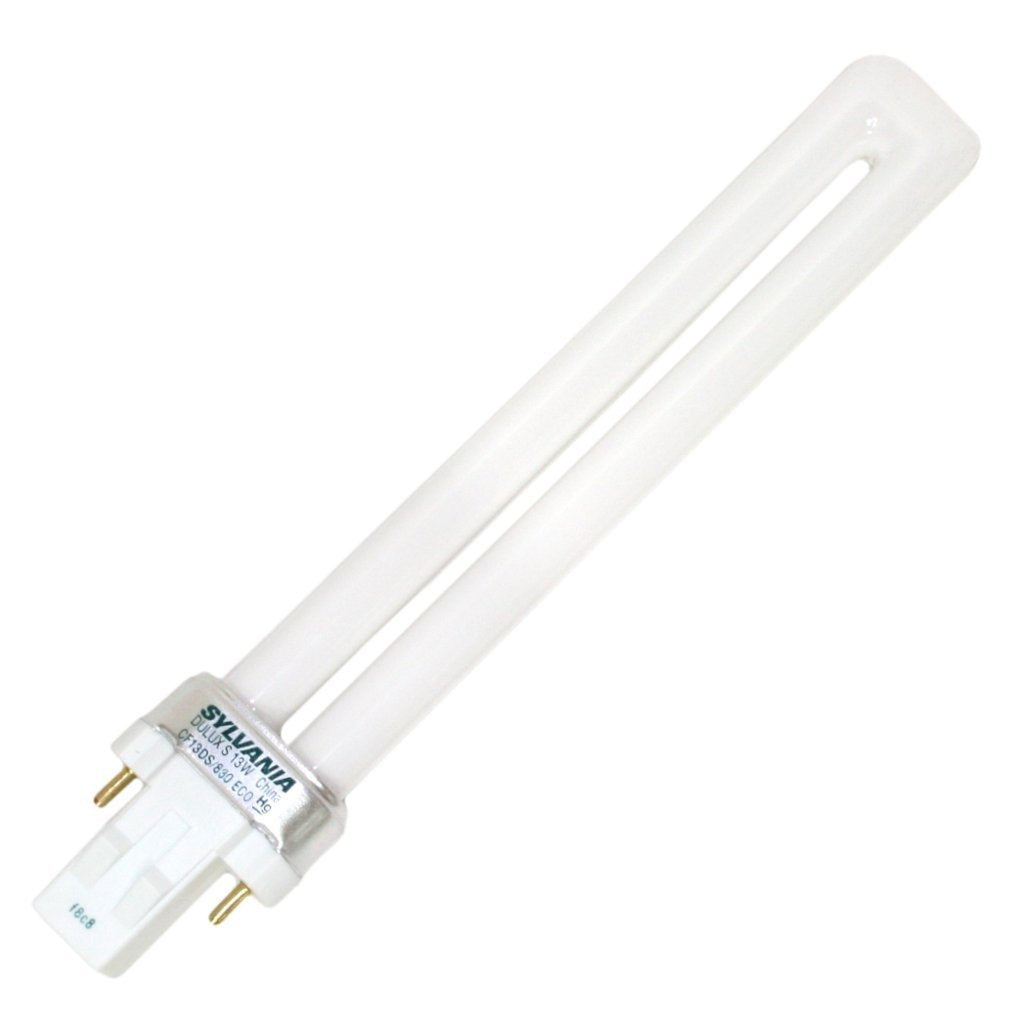
SYLVANIA 21133 Compact Fluorescent Lamp, 13W, 3000K Warm White, 10 Pack, 2-Pin Single Tube, Eco-Friendly
Regular price
$23.03
Out of Stock

Customer Approved

Extensive Selection

Fast, Reliable Delivery

Top-Tier Quality
Frequently Asked Questions
- Q: What materials is the HOWMZON Wireless Picture Light made of? A: The HOWMZON Wireless Picture Light is made of metal. This durable construction ensures longevity and stability when mounted.
- Q: What are the dimensions of the HOWMZON Wireless Picture Light? A: The dimensions of the HOWMZON Wireless Picture Light are sixteen inches in length, seven point zero one inches in width, and one point four two inches in height.
- Q: What type of battery does the HOWMZON Wireless Picture Light use? A: The light uses a built-in five thousand two hundred milliamp hour lithium-ion battery. This rechargeable battery can last up to forty hours on lower brightness settings.
- Q: How do you install the HOWMZON Wireless Picture Light? A: To install, drill two holes for the screws, then secure the EZ Mount Bracket to the wall. Finally, hang the light onto the bracket.
- Q: Can the brightness of the HOWMZON Wireless Picture Light be adjusted? A: Yes, the brightness can be adjusted from twenty percent to one hundred percent. This allows you to customize the lighting to your preference.
- Q: Is the HOWMZON Wireless Picture Light suitable for outdoor use? A: No, the HOWMZON Wireless Picture Light is designed for indoor use only. It is ideal for lighting artwork and pictures in various rooms.
- Q: How do I clean the HOWMZON Wireless Picture Light? A: To clean the light, use a soft, damp cloth to gently wipe the surface. Avoid using abrasive cleaners that may scratch the metal finish.
- Q: How should I store the HOWMZON Wireless Picture Light when not in use? A: Store the HOWMZON Wireless Picture Light in a cool, dry place away from direct sunlight. Ensure the battery is charged before long-term storage.
- Q: Is the HOWMZON Wireless Picture Light safe for children? A: Yes, the HOWMZON Wireless Picture Light is safe for children when installed correctly. However, keep the remote control out of reach to prevent misuse.
- Q: Can the HOWMZON Wireless Picture Light be used for other purposes? A: Yes, this light is versatile and can also be used as a mirror light, night light, or for illuminating other artworks and portraits.
- Q: What if the HOWMZON Wireless Picture Light does not turn on? A: If the light does not turn on, check if the battery is charged. Ensure the unit is properly mounted and that the touch switch is functioning.
- Q: Does the HOWMZON Wireless Picture Light come with a warranty? A: Yes, the HOWMZON Wireless Picture Light typically comes with a warranty. Check the product details or contact customer service for specific warranty information.
- Q: What should I do if the HOWMZON Wireless Picture Light is damaged upon arrival? A: If the light is damaged upon arrival, contact the seller immediately for a replacement or refund. Keep all original packaging for return processing.
- Q: How long does it take to fully charge the HOWMZON Wireless Picture Light? A: It takes approximately three to four hours to fully charge the HOWMZON Wireless Picture Light using a recommended five-volt, two-amp charger.
- Q: Can I use the HOWMZON Wireless Picture Light without the remote control? A: Yes, you can use the HOWMZON Wireless Picture Light without the remote. The touch switch on the base allows you to turn it on and off.