

Cart
0


Daybetter Tv Led Backlights, 8.2Ft Tv Light Strip For 32Inch Tv Led Strip Lights Usb With Remote, Led Lights Music Sync Rgb For
Free Standard Shipping Across USA
 WELCOME5: Use code WELCOME5 for 5% off on your first order
Couldn't load pickup availability
Vendor: Daybetter
Type: led-strip-lights
Sku: WBLSDB0BL3K65QL
Availability: Out of Stock
Sold by LightsDaddy, an authorized reseller.
Returns accepted within 30 days | support@lightsdaddy.com
Shipping Information
- Free Standard Shipping — United States only
- Processing Time: 3–5 business days
- Estimated Delivery: 6–10 business days after dispatch
- Securely packed to protect your lighting fixtures during transit
- Tracking number sent via email once dispatched
- Orders over $250 require signature upon delivery. Taxes calculated at checkout.
Returns & Refund
Returns accepted within 30 days of delivery.
Damaged or Defective Item
Free return shipping + replacement or full refund
Wrong Item Received
Free return shipping + replacement or full refund
Change of Mind
Return shipping at customer's expense · Item must be unused & in original packaging
All returns require a Return Authorization (RA) number before sending.
View Full Return & Refund Policy
Safety & Compliance
⚠️
California Proposition 65 Warning
Some products sold on this website may expose you to chemicals known to the State of California to cause cancer, birth defects, or other reproductive harm.
www.P65Warnings.ca.gov
⚡
Electrical Safety Warning
All electrical products must be installed by a qualified electrician in accordance with local wiring regulations. Incorrect installation may result in fire, electric shock, or injury.
Always disconnect power at the circuit breaker before installation.
💡
Bulb & Usage Advisory
Do not exceed the maximum wattage specified on the fixture label. Keep away from flammable materials. Allow adequate ventilation around the fixture.
Keep out of reach of children. Not suitable for wet locations unless rated IP65 or higher.
Guarantee safe checkout


Daybetter Tv Led Backlights, 8.2Ft Tv Light Strip For 32Inch Tv Led Strip Lights Usb With Remote, Led Lights Music Sync Rgb For
$10.86

Related products
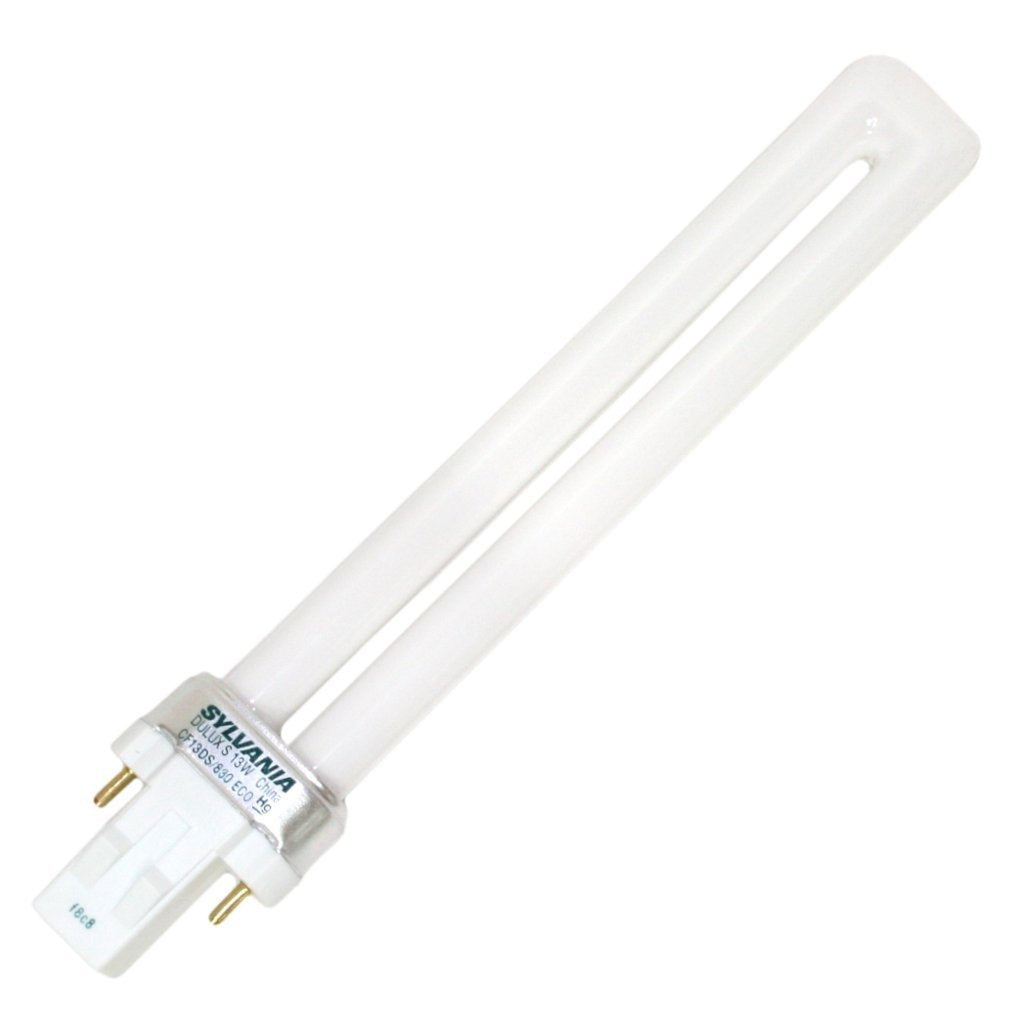
SYLVANIA 21133 Compact Fluorescent Lamp, 13W, 3000K Warm White, 10 Pack, 2-Pin Single Tube, Eco-Friendly
Regular price
$23.03
Out of Stock

Customer Approved

Extensive Selection

Fast, Reliable Delivery

Top-Tier Quality
Frequently Asked Questions
- Q: What is the length of the DAYBETTER TV LED backlights? A: The DAYBETTER TV LED backlights are eight point two feet long. This length is suitable for a thirty-two inch TV, providing ample coverage.
- Q: What materials are used in the DAYBETTER TV LED light strip? A: The DAYBETTER TV LED light strip is primarily made of flexible plastic and includes LED components. It is designed for easy installation and durability.
- Q: Are there any hazardous materials in the DAYBETTER TV LED backlights? A: Yes, the DAYBETTER TV LED backlights contain lithium metal batteries. These batteries are safely enclosed within the equipment.
- Q: How do I install the DAYBETTER TV LED backlights? A: To install the DAYBETTER TV LED backlights, simply clean the surface of your TV, peel off the adhesive backing, and stick the strip along the edges. Connect the USB to a power source to activate.
- Q: Can I use the DAYBETTER TV LED backlights with any TV size? A: While the DAYBETTER TV LED backlights are optimized for a thirty-two inch TV, they can be used with larger TVs as well. Adjust the placement based on your TV's dimensions.
- Q: Is there a remote control for the DAYBETTER TV LED backlights? A: Yes, the DAYBETTER TV LED backlights come with a remote control. This allows you to easily adjust colors and settings from a distance.
- Q: How do I clean the DAYBETTER TV LED backlights? A: To clean the DAYBETTER TV LED backlights, use a soft, dry cloth. Avoid using liquids or harsh cleaners to prevent damage to the LED components.
- Q: What is the battery life for the DAYBETTER TV LED backlights? A: The battery life for the DAYBETTER TV LED backlights varies based on usage and settings. Generally, the lithium metal batteries will last for several hours of continuous use.
- Q: Are the DAYBETTER TV LED backlights safe for children? A: Yes, the DAYBETTER TV LED backlights are generally safe for children when used properly. However, adult supervision is recommended, especially with removable parts.
- Q: Can I sync the DAYBETTER TV LED backlights with music? A: Yes, the DAYBETTER TV LED backlights have a music sync feature. This allows the lights to change colors and patterns in response to the music's rhythm.
- Q: Is the installation process for the DAYBETTER TV LED backlights complicated? A: No, the installation process for the DAYBETTER TV LED backlights is straightforward and user-friendly. Most users can complete it in just a few minutes.
- Q: Do the DAYBETTER TV LED backlights come with a warranty? A: Yes, the DAYBETTER TV LED backlights typically come with a manufacturer's warranty. Check the packaging or product details for specific terms.
- Q: Can I cut the DAYBETTER TV LED backlights to fit my TV? A: Yes, you can cut the DAYBETTER TV LED backlights to fit your TV. Be sure to follow the cutting guidelines provided in the instructions.
- Q: What color options are available with the DAYBETTER TV LED backlights? A: The DAYBETTER TV LED backlights offer a wide range of RGB color options. You can easily switch between colors using the remote control.
- Q: What should I do if my DAYBETTER TV LED backlights don't work? A: If your DAYBETTER TV LED backlights don't work, first check the power connection and ensure the batteries are installed correctly. If issues persist, consult the customer support for troubleshooting.