

Cart
0


Computer Monitor Light Bar: Flat/Curved Monitor Screen Bar Led Lamp For Eye Caring/Space Saving 16.5 Inch Usb Powered Desk Lamp
Free Standard Shipping Across USA
 WELCOME5: Use code WELCOME5 for 5% off on your first order
Couldn't load pickup availability
Vendor: Lymax
Type: desk-lamps
Sku: WBLSDB09936H8Y4
Availability: Out of Stock
Sold by LightsDaddy, an authorized reseller.
Returns accepted within 30 days | support@lightsdaddy.com
Shipping Information
- Free Standard Shipping — United States only
- Processing Time: 3–5 business days
- Estimated Delivery: 6–10 business days after dispatch
- Securely packed to protect your lighting fixtures during transit
- Tracking number sent via email once dispatched
- Orders over $250 require signature upon delivery. Taxes calculated at checkout.
Returns & Refund
Returns accepted within 30 days of delivery.
Damaged or Defective Item
Free return shipping + replacement or full refund
Wrong Item Received
Free return shipping + replacement or full refund
Change of Mind
Return shipping at customer's expense · Item must be unused & in original packaging
All returns require a Return Authorization (RA) number before sending.
View Full Return & Refund Policy
Safety & Compliance
⚠️
California Proposition 65 Warning
Some products sold on this website may expose you to chemicals known to the State of California to cause cancer, birth defects, or other reproductive harm.
www.P65Warnings.ca.gov
⚡
Electrical Safety Warning
All electrical products must be installed by a qualified electrician in accordance with local wiring regulations. Incorrect installation may result in fire, electric shock, or injury.
Always disconnect power at the circuit breaker before installation.
💡
Bulb & Usage Advisory
Do not exceed the maximum wattage specified on the fixture label. Keep away from flammable materials. Allow adequate ventilation around the fixture.
Keep out of reach of children. Not suitable for wet locations unless rated IP65 or higher.
Guarantee safe checkout


Computer Monitor Light Bar: Flat/Curved Monitor Screen Bar Led Lamp For Eye Caring/Space Saving 16.5 Inch Usb Powered Desk Lamp
$46.00

Related products
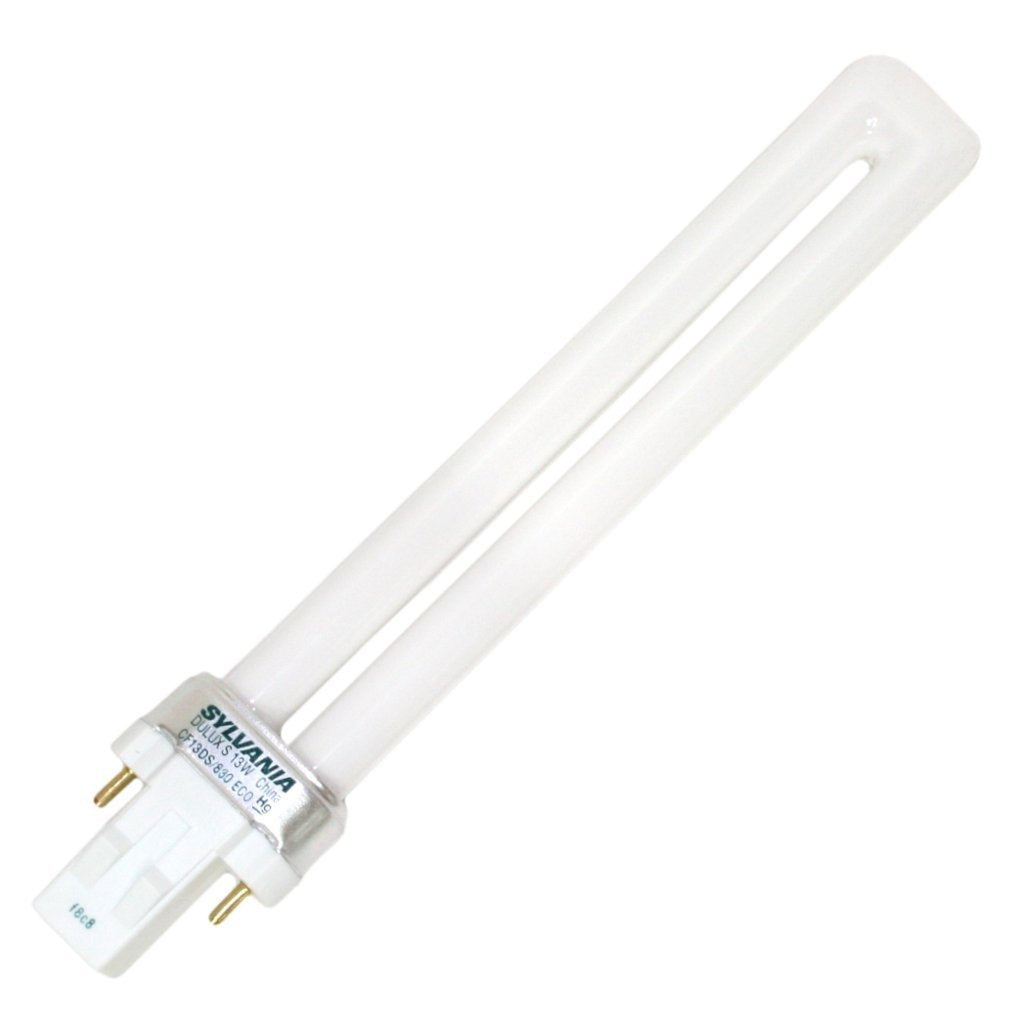
SYLVANIA 21133 Compact Fluorescent Lamp, 13W, 3000K Warm White, 10 Pack, 2-Pin Single Tube, Eco-Friendly
Regular price
$23.03
Out of Stock

Customer Approved

Extensive Selection

Fast, Reliable Delivery

Top-Tier Quality
Frequently Asked Questions
- Q: What are the dimensions of the Computer Monitor Light Bar? A: The dimensions of the Computer Monitor Light Bar are sixteen point five inches long, three point five inches wide, and one point four two inches high. It is designed to fit most monitors.
- Q: What is the weight of the Computer Monitor Light Bar? A: The weight of the Computer Monitor Light Bar is lightweight, making it easy to install on various monitor types without added pressure. Its construction ensures stability during use.
- Q: What materials are used in the construction of the light bar? A: The enclosure of the Computer Monitor Light Bar is made from metal, providing durability while remaining lightweight. This construction enhances the lamp's overall strength.
- Q: How do I install the Computer Monitor Light Bar? A: To install the Computer Monitor Light Bar, simply place it on the top of your monitor. The gravity damper bracket ensures that it sits securely without the need for clamps.
- Q: Is the light bar suitable for curved monitors? A: Yes, the light bar is suitable for both flat and curved monitors, accommodating thicknesses ranging from zero point two inches to one point five inches. This versatility makes it ideal for various setups.
- Q: How do I adjust the brightness of the light bar? A: You can adjust the brightness of the light bar using the built-in touch control sensor. It offers three color temperature options and adjustable brightness levels from two thousand nine hundred to six thousand Kelvin.
- Q: Can I use the light bar while gaming or watching videos? A: Yes, the light bar reduces glare and flicker, making it comfortable for gaming and video watching. Its asymmetrical light design focuses on your keyboard and desktop.
- Q: How do I clean the Computer Monitor Light Bar? A: To clean the Computer Monitor Light Bar, use a soft, dry cloth to wipe the surface. Avoid using harsh chemicals that may damage the metal enclosure.
- Q: What is the warranty period for the Computer Monitor Light Bar? A: The Computer Monitor Light Bar comes with a reliable warranty, ensuring support for any manufacturing defects. For specific warranty details, refer to the user manual.
- Q: How do I connect the light bar to power? A: You can connect the light bar using a USB-C port with a sixty inch cord. It is compatible with power sources that provide five volts and one amp.
- Q: Is the light bar safe for prolonged use? A: Yes, the light bar is designed to be safe for prolonged use, as it blocks blue light and reduces eye strain. This makes it comfortable for long hours of work or gaming.
- Q: What color options are available for the light bar? A: The Computer Monitor Light Bar is available in black, providing a sleek and modern look that complements most computer setups. Its design is both functional and stylish.
- Q: Is the light bar easy to transport? A: Yes, the lightweight design of the light bar makes it easy to transport. You can easily move it between different workspaces or take it with you when traveling.
- Q: What devices is the light bar compatible with? A: The light bar is compatible with various devices, including MacBook Pro, iMac, Dell XPS, and HP Envy models. It fits monitors between fifteen and twenty-four inches.
- Q: Can I use the light bar for video conferencing? A: Yes, the light bar is ideal for video conferencing due to its adjustable angle and glare-free lighting. It ensures that you are well-lit without causing distractions.